Dear HR.my Support Team,
I would like to seek your assistance regarding the statutory contribution section in employee payslips.
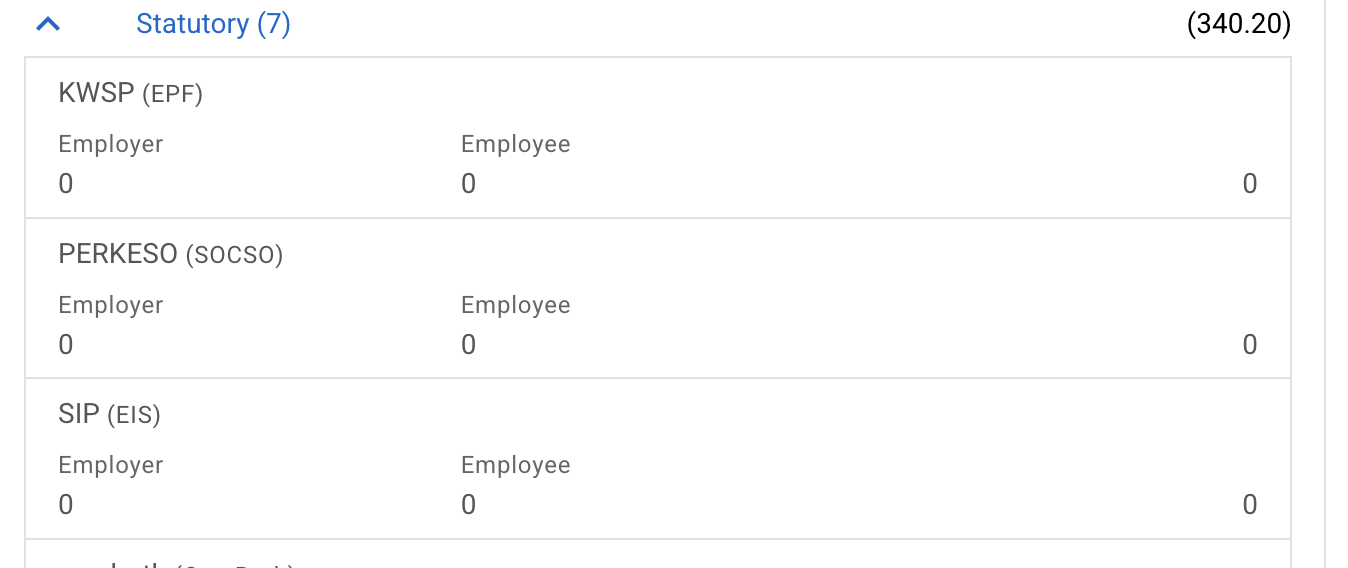
I have already set the employee’s contribution settings to “No Contribution” under Employee > Management > Salary. However, the statutory contribution items (EPF, SOCSO, and EIS) are still appearing automatically in the payslip.
Currently, we are entering the EPF, SOCSO, and EIS amounts manually in the payroll, which results in duplicate entries on the payslip (one from the automatic statutory section and another from our manual entry). This makes the payslip confusing and untidy.
Could you please advise how we can completely remove or hide the automatically generated statutory contribution section from the payslip, so that only our manually entered deductions are displayed?
Thank you for your assistance. I look forward to your response.