how to process the salary of a resigned staff? I have read here, something along the line, that the processed salary sheets are “changed/updated” when salary sheet is processed at the month end. So i just want to confirm how to process a reigned staff salary. For eg, if a staff resigned on 20/01/2026. Then i want to make salary of January 1-20, for that employee. And to process that salary i need to select that employee only and then process it. After processing salary i should “resign” the staff from the HR.MY system, so that that employee cannot access this system.
Is this the correct procedure? or am i missing something?
I am not quite sure if I understand your statement fully.
However, did you encounter any issue? Perhaps more specific details would be easier for me to assist.
lets break down the question.
how to process the salary of a resigned staff?
→Prorata Salary for Employees not Working Full Pay Cycle
I think i followed your advice correctly and processed the resigned staff salary on 22nd. But now when i tried to process the salary of our current staffs’ salary for the whole month of January, this error occurs. This is very confusing.
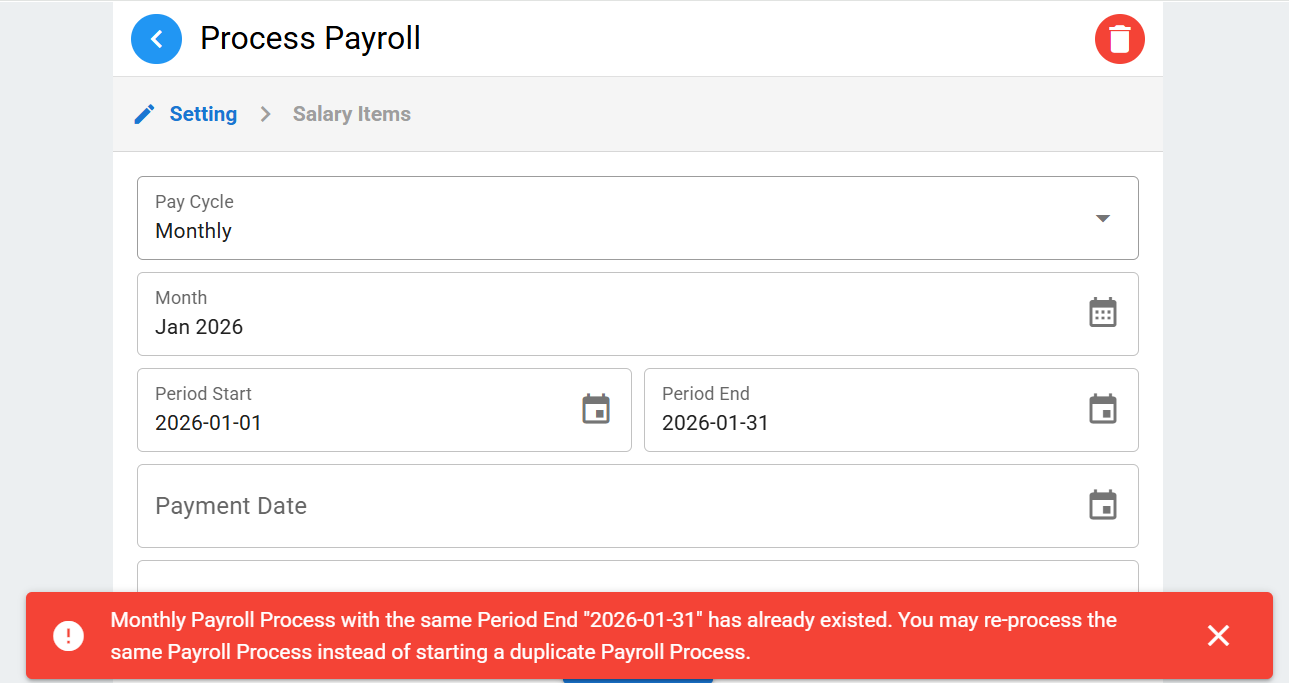
No, that’s not the correct way.
Go to Payroll→Process, then start your payroll run.
When you are at the Salary Items page, click at the employee buttons to select employees to process.
OK, here’s the most important part:
- When you select employees, the default listed are Active employees
- If you need to process Archived (Resigned) employees, click at the magnifier icon in the search box, then change the Job Status field. Afterwards select the desired resigned employees to be processed together with other Active employees
- In short, you process both Active and Archived employees in the same payroll run
In your current case, just re-process the payroll you just ran, DO NOT process a new one. When you reach the Salary Items page, follow the steps above to add other Active employees